
Export a project to Microsoft Project
Clients, main contractors and PMOs still work in Microsoft Project, and a schedule you cannot hand them is a schedule you cannot put in a contract. Any Onplana project downloads as an MS Project XML file that opens natively in Microsoft Project, on every plan including Free.
Export
Section titled “Export”-
In the project header, open the ⋯ menu.
-
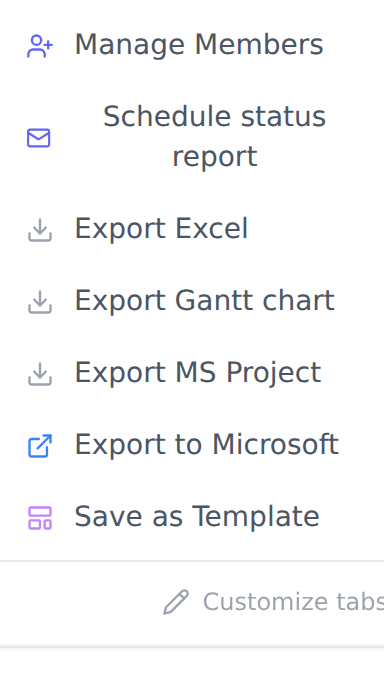
Choose Share or export, then Export MS Project in the list that opens beside it.
-
The file downloads as
<project name>.xml. Open it in Microsoft Project.
What survives
Section titled “What survives”| How it arrives | |
|---|---|
| WBS hierarchy | Full depth. Parents stay parents, subtasks stay under them, in your order. |
| Dependencies | Type and lag preserved. A finish-to-start link with 3 days lag arrives as one. |
| Milestones | Flagged as milestones, not zero-length tasks. |
| Resources | Matched to the people assigned in Onplana, with their assignments. |
| Progress | Percent complete per task. |
| Costs | Planned, fixed and baseline. |
| Notes | From each task’s description. |
| Priorities | Mapped onto the 0 to 1000 scale Microsoft Project uses. |
| Custom fields | In Microsoft Project’s own field slots (Text1, Number1, Date1, Flag1 and so on), under their Onplana names, with every task’s value. A choice list keeps its choices. |
What does not
Section titled “What does not”| Effect | |
|---|---|
| Working calendar | Microsoft Project applies its own default: Monday to Friday, no holidays. |
| Task constraints | “Start no earlier than” and similar are not carried. |
| Deadlines | Not carried. |
| Multi-select fields | Not carried: a Project file has no slot that holds one. Nor is a field past the last slot of its type (30 text, 20 number, 10 date, 20 yes or no). |
Which export
Section titled “Which export”| You want | Use |
|---|---|
| A file for Microsoft Project | Export MS Project |
| A spreadsheet of the task list | Export Excel |
| The plan inside Planner or To Do | Export to Microsoft |
All three sit under Share or export in the ⋯ menu, on every plan.
If it fails
Section titled “If it fails”| Message | What to do |
|---|---|
| More than 20,000 tasks | The conversion runs in one request. Export a phase or sub-project instead. |
| Export service unavailable | The converter is a separate service and was briefly down. Try again in a minute. |
| Anything else | Ours, not yours. Report it with the flag icon in the header so we can see which project. |
Related
Section titled “Related”- Import from Microsoft Project, the same road back.
- Import a WBS from Excel or CSV if your plan lives in a spreadsheet.
Was this helpful?
Thanks for your feedback!