
Change your display language
The Onplana app is available in nine languages. The setting is personal: it changes what you see, not what your teammates see, and it needs no permission or plan.
| Language | Shown in the picker as | Direction |
|---|---|---|
| English | English | Left to right |
| Spanish | Español | Left to right |
| Brazilian Portuguese | Português (Brasil) | Left to right |
| French | Français | Left to right |
| Arabic | العربية | Right to left |
| Simplified Chinese | 简体中文 | Left to right |
| Japanese | 日本語 | Left to right |
| German | Deutsch | Left to right |
| Italian | Italiano | Left to right |
Every string Onplana has translated exists in all nine languages. A build gate checks that on each release and fails it if a language is missing a string or has left one blank, so the translations cannot quietly drift apart from each other.
Translation coverage grows release by release, and the app is not yet translated end to end. Anything not yet covered shows in English rather than as a blank or a raw code, so a screen may mix the two. That is the intended fallback, not a fault.
Change your language
Section titled “Change your language”- Open Settings from the account menu.
- Go to the Appearance tab.
- Pick your language from the Language dropdown.
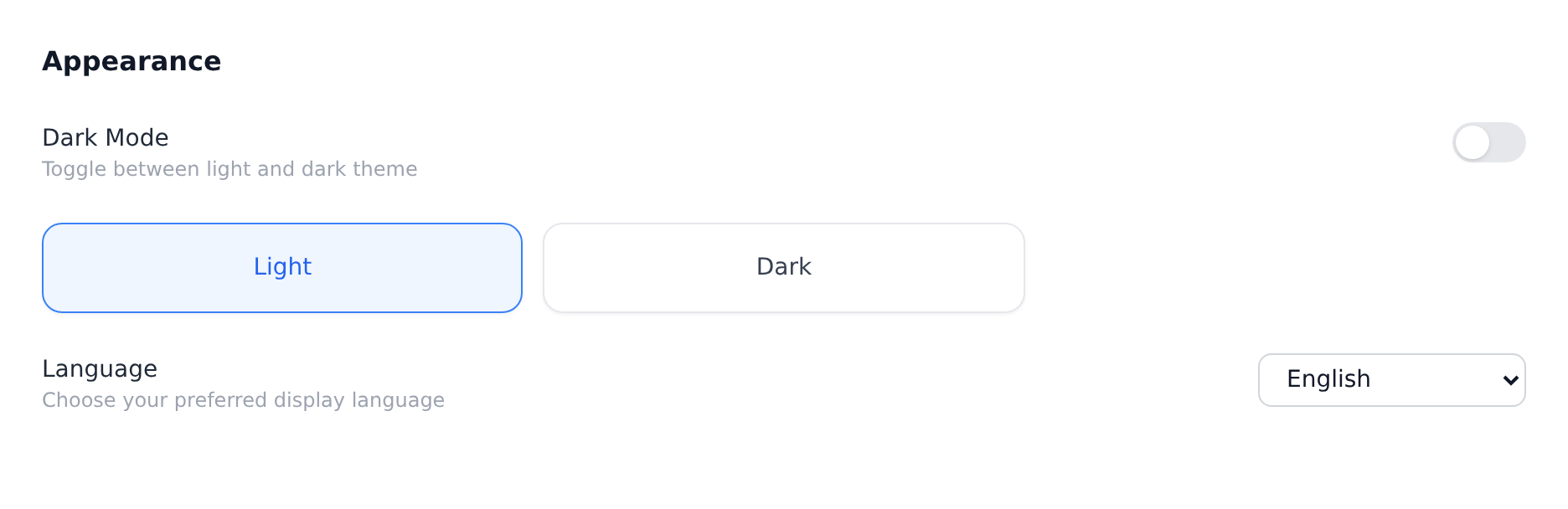
The change applies immediately. There is no save button and no reload.
Arabic and right-to-left layout
Section titled “Arabic and right-to-left layout”Choosing العربية switches the interface to right-to-left. This is a full mirror of the layout, not translated text in a left-to-right frame:
- The navigation sidebar moves to the right side of the window, and page content flows from right to left.
- Text, table columns and form labels align to the right.
- Directional icons mirror, so a back arrow and an expand chevron point the way they should for a reader going right to left.
- Progress bars and timelines fill from the right.
The direction is applied before the page first paints, so Onplana does not flash a left-to-right layout on the way in. Switching to or from Arabic takes effect immediately, in the same way as any other language.
Your own content is never re-flowed or translated. A task written in English keeps its English text and its natural left-to-right reading inside the mirrored interface.
What Onplana picks on your first visit
Section titled “What Onplana picks on your first visit”Before you choose anything, Onplana reads your browser’s preferred languages, in the order you have them ranked, and uses the first one it supports. A browser set to Dutch first and French second gets French, because Dutch is not one of the nine. A browser with no supported language at all gets English.
Regional variants resolve to the closest available bundle, so pt,
pt-PT and pt-BR all land on Português (Brasil).
Once you pick a language explicitly, your choice wins from then on and the browser order is no longer consulted.
Your choice is per browser
Section titled “Your choice is per browser”The setting is stored in the browser you are using, not on your Onplana account. Two consequences worth knowing:
- Signing in on a different computer, a different browser, or a private window starts again from the browser-preference detection above.
- Clearing your browser’s site data for Onplana clears the choice along with it.
What is translated, and what is not
Section titled “What is translated, and what is not”The setting covers the Onplana app: navigation, dashboards, projects, tasks, settings and the rest of the product surface you work in day to day.
Reports Onplana writes for you
Section titled “Reports Onplana writes for you”It also covers the reports Onplana produces when you ask for one: a project’s PDF and Excel downloads, Report Builder exports (CSV, Excel and PDF), the AI status report from Generate Report and the email from Email this report, and the status digest and the EVM narrative (see Draft reports, agendas and invites with an agent for how an agent asks for a language). Their headings, labels, statuses and dates are in your language, and amounts are in the project’s own currency. In Arabic, Excel sheets read right to left.
A few things stay as they are:
- Scheduled reports keep the language of the person who created the schedule, whoever receives them. Every run is written in that language, and editing the schedule does not change it. To send one in another language, switch to that language and create the schedule again. A schedule created before reports followed your language sends in English.
- A calculated column’s label prints as you typed it, in every language, because it is your text.
- The project summary inside a report email, and the all-projects and timesheet Excel exports on the Reports page, are still in English.
It does not cover:
- This documentation site and the onplana.com marketing site, which are English only.
- Email from Onplana, such as notifications, invitations and digests.
- Error messages that come from the server rather than the app, which are a small set of technical strings.
- The platform administration console used by Onplana’s own operators, which is English only. Your own organization settings are translated as normal.
- Content you and your team write. Project names, task titles, comments and descriptions are stored exactly as typed. Onplana does not translate your data, only its own interface.
Troubleshooting
Section titled “Troubleshooting”- Part of a screen is in English while the rest is translated. Any string with no translation falls back to English rather than showing a blank or a raw key, so this is the intended failure mode rather than a broken screen. Report it and it can be filled in.
- The app is in one language but the picker shows another. Refresh the page. If it persists, report it: the two read from the same setting and should never disagree.
- My language reset itself. Check whether you are in a different browser or a private window, or whether site data was cleared. The setting lives in the browser.
- I switched to Arabic and the sidebar moved. That is intended. The whole layout mirrors for a right-to-left language. Switching back to any other language restores it.
- I want a language that is not listed. Only the nine above are offered. Others are not available today.
Does changing my language change it for my team? No. It is per person, and per browser for that person.
Does it affect dates, times and currency? Dates and times follow your language and locale conventions. Currency amounts follow the currency configured for the project or organization, which is a separate setting an administrator controls.
Is any language a paid feature? No. All nine are on every plan, including Free, and no role is required.
Will my teammates see my comments translated? No. Onplana translates its own interface, never the content you write. A comment written in Spanish stays in Spanish for everyone.
Can I use Arabic on the mobile and desktop companion apps? Not yet. The language setting covers the Onplana web app. The Onplana Tasks browser extension, desktop app and mobile app are English only today, whichever language you pick in the web app.
Related
Section titled “Related”- Set up your organization for the organization-level settings an administrator controls, including currency
- Manage notification preferences for what Onplana sends you by email
Was this helpful?
Thanks for your feedback!