
Read your Schedule Health Check
The Schedule Health Check is a free tool that reads a Microsoft Project schedule and reports what’s wrong with it before it hurts you: missing dependencies, unrealistic durations, overloaded resources, deadline risks, and more. Upload a file, and the report arrives in your browser, no Onplana account needed.
Run a check
Section titled “Run a check”-
Open onplana.com/tools/schedule-health-check and upload your schedule (
.mppor MSPDI.xml, up to 20 MB), or paste a task list. -
Enter your email to unlock the full report. The link in that email reopens your report later, and the page also keeps your place if you reload.
The dashboard
Section titled “The dashboard”The report opens on a dashboard: your schedule at a glance, then one tile per health area.
- The at-a-glance strip shows the shape of the schedule: task count, percent complete, milestones, duration, date range, resources, and dependencies.
- Each tile summarizes one analyzer, its headline number and how healthy that area looks. Click a tile to jump to its detailed findings.
- The findings tab holds the full detail: every issue, where it is in the schedule, and why it matters.
How many plans fail it too
Section titled “How many plans fail it too”Beside a warning or a critical finding, a short line can say how common the problem is, for example 38% of plans fail this too. Point at it to see how many plans the figure stands on: free and anonymous schedules checked with the Health Check. Information findings never carry one, since they are not something a plan fails.
The line appears only when Onplana has published a figure for that finding, from 20 or more plans. A finding with no published figure shows no line, which says nothing about your plan.
How your plan compares
Section titled “How your plan compares”Below the report, two sections can show where your schedule sits against other plans. Both work from figures already in your report and from ranges Onplana publishes; the comparison runs in the page and sends nothing new.
Against plans of the same size
Section titled “Against plans of the same size”The first, Schedule quality against plans of the same size, reads, for example:
Fewer tasks without links than about 75% of plans with 50 to 199 tasks.
What it compares is one measure: the share of your tasks with neither a predecessor nor a successor. A task with no links cannot move when the work around it moves, so fewer is better. Your plan is ranked against plans with a similar number of tasks, in five size bands: 1 to 49, 50 to 199, 200 to 999, 1,000 to 4,999, and 5,000 or more tasks. The line under the sentence says how many plans the band stands on. They are schedules checked with this free Health Check, counted anonymously; nothing from your plan is shown to anyone else.
- Better than most reads “Fewer tasks without links than about N% of plans”, and worse than most reads “More tasks without links than about N% of plans”. N is 10, 25, 50, 75 or 90, never an exact rank: Onplana keeps only those steps for each band, so the figure is rounded down to the step your plan clears and is never higher than it earns.
- Near the middle reads “About as many tasks without links as a typical plan” with your band.
- No line means the comparison would not be fair: fewer than 20 plans of your size have been checked, the plan has no tasks, or its links could not be read.
The PDF export prints the same sentence under Against plans of the same size. The Excel and CSV exports do not carry it.
Share a result that ranks well
Section titled “Share a result that ranks well”When your plan has fewer tasks without links than most plans its size (the sentence starts Fewer tasks without links than about), the section offers a link to share it:
-
Under the sentence, select Copy share link. The button reads Link copied for a moment.
-
Paste the link in a post or a message. Where links show a preview, such as LinkedIn, Teams or Slack, it shows the card below; anyone who opens the link is taken to the Schedule Health Check to run their own.
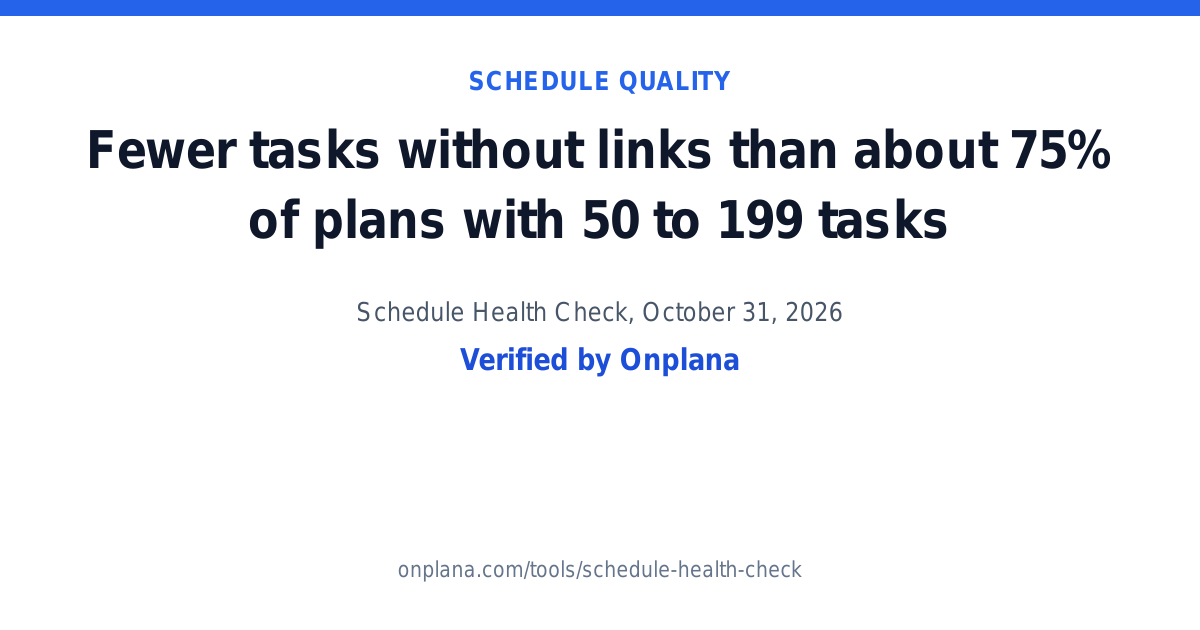
The card carries only the percentage, the size band and the date the check ran, with Verified by Onplana and the Health Check’s address. Nothing from your plan travels with it: no file name, no task, no figure from the report, and the link cannot lead back to your analysis. “Verified” means Onplana computed the figure; it cannot be edited into the link. The card is written in the language of your browser when it is one of the nine the free tools speak (English, German, Spanish, French, Brazilian Portuguese, Arabic, Simplified Chinese, Italian and Japanese), and in English otherwise.
A result near the middle, or worse than most, has no Copy share link, and neither does a plan with no same-size line.
Against every plan checked
Section titled “Against every plan checked”The second section, How your plan compares, puts one of your figures beside the published ranges on each line, for example:
Your plan: 12% of tasks have no links. Fewer tasks without links than about 75% of plans.
It can show up to four lines:
| Line | Your figure | Compared with |
|---|---|---|
| Tasks without links | The share of tasks with neither a predecessor nor a successor | Fewer, more, or about as many as a typical plan |
| Date constraints | The share of tasks that carry a date constraint | Fewer, more, or about as many as a typical plan |
| Size | The number of tasks | Larger, smaller, or about the size of a typical plan |
| Baseline | Whether a baseline is saved | The share of plans that have one, or have none |
The percentages follow the same steps as above (10, 25, 50, 75 or 90), so they are never higher than your plan earns. A line is left out when fewer than 20 plans back it or your own figure cannot be read, and with no line the section does not appear. The constraint and baseline lines need a schedule file; a pasted task list carries neither. The note under the lines says how many plans the comparison stands on.
These ranges come from every plan checked, whatever its size, so a line here and the same-size sentence above can read differently for one plan. Both are true: one compares you with plans your size, the other with all of them.
Where the figures come from
Section titled “Where the figures come from”The figures are counts and rates from schedules checked with Onplana’s free tools, and from plans opened in Onplana Schedule with usage data turned on. Onplana publishes no figure drawn from fewer than 20 schedules, and leaves out schedules from paying customers’ organizations. The Privacy Policy describes these published statistics under Published schedule statistics.
The full figures are on onplana.com/insights: reports on schedule health, the DCMA checks one by one, Microsoft Project versus Primavera, plan size, schedule risk and what the Health Check finds.
Exports and next steps
Section titled “Exports and next steps”Export the report as PDF, Excel, or CSV; the dashboard numbers travel with it, so the summary survives into whatever you share. From the report you can also preview the schedule as a Gantt chart, ask the AI to propose an optimized rewrite of the plan, or import the schedule into Onplana and fix the findings for real.
How long your data is kept
Section titled “How long your data is kept”The tool is free and so is the honesty about your data:
- The uploaded file is deleted within 3 days, and removed from backups 7 days after that; the analysis works from a parsed copy.
- The schedule’s content (the parsed copy) is deleted after 30 days. Your report stays openable after that, but the Gantt preview and the AI rewrite stop working, both need the schedule itself.
- Report downloads (PDF/Excel/CSV) remain available for 90 days from when you generate them.
- The analysis record is deleted after 12 months.
Export anything you want to keep before those windows close.
Related
Section titled “Related”Was this helpful?
Thanks for your feedback!