
Capture and compare baselines
A baseline is a frozen snapshot of the project at a moment in time: its tasks, dates, dependencies, and progress as they stood when you captured it. Without one, “are we on track?” is a debate; with one, it’s a number. The teams that get re-approved for budget at the end of phase one are not the ones with the prettiest plans, they’re the ones whose plan vs reality variance is honest and visible. Baselines are how Onplana keeps that variance honest.
Capture a baseline
Section titled “Capture a baseline”-
Open the project, open the Plan tab under the project header, and select Baseline.
-
Select Save Baseline and give the snapshot a name. Naming it after the event helps later: “Approved plan”, “After scope change”, “Q3 replan”.
-
The snapshot appears in the list with its capture date and who took it. Capture as many as you need; each is independent.
Capturing a baseline requires an Owner or Manager role on the project. This keeps the reference plan an explicit act by someone accountable for the schedule, not something that shifts casually.
Compare on the Baseline view
Section titled “Compare on the Baseline view”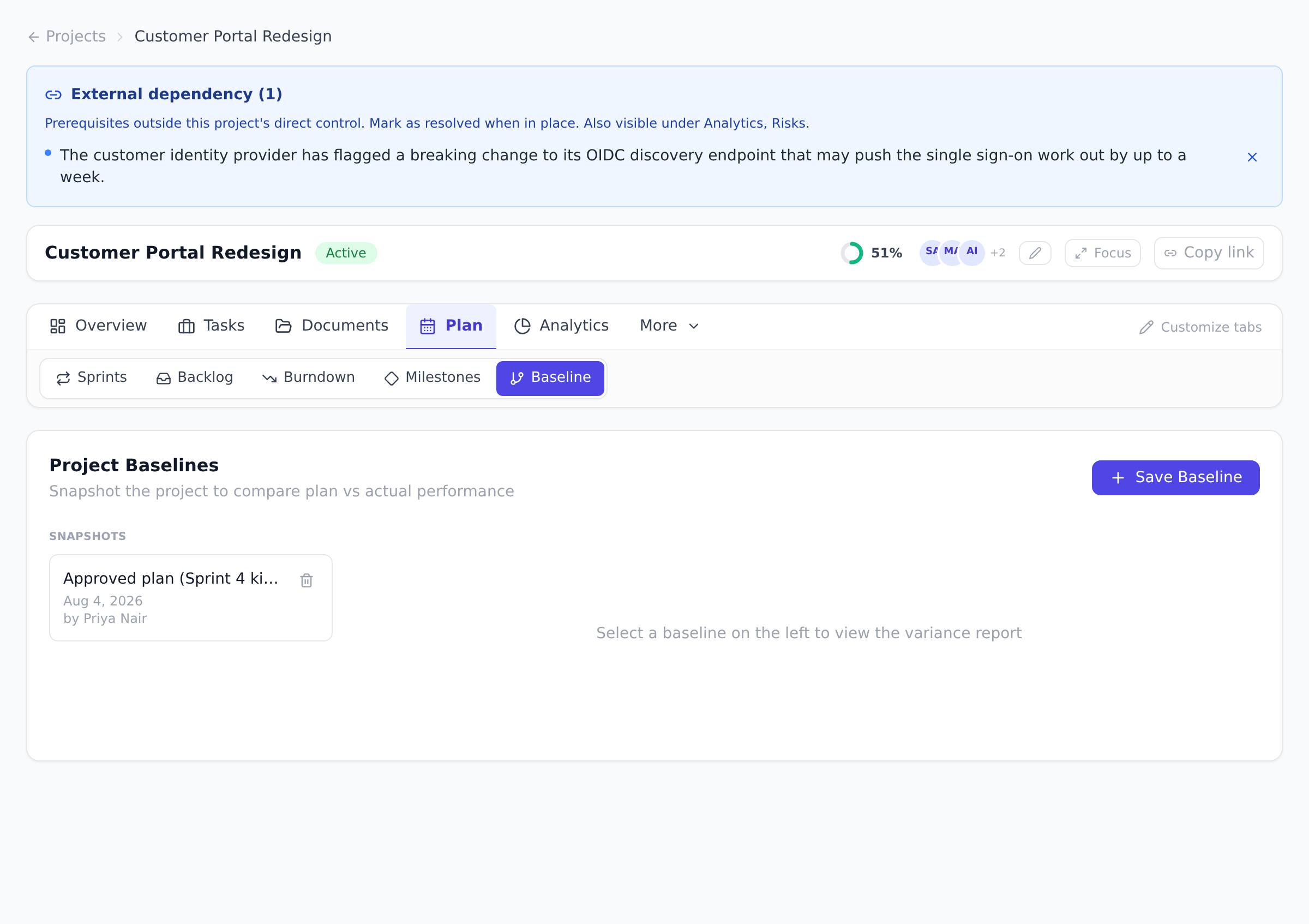
Select any snapshot in the list to open its variance report. Four cards sit across the top:
- Health, a traffic-light reading of the whole project.
- Project End Slip, the days between the finish the baseline recorded and the one the live plan projects, or On Time.
- Delayed Tasks and On Time / Ahead, the counts behind the traffic light.
The Schedule Variance table
Section titled “The Schedule Variance table”Each row is one task, paired against its baseline. A BL column is what the snapshot recorded, the column beside it is where the task sits in the plan today, and the delta column after them is the difference in calendar days, positive meaning later. That shape repeats three times, for start, for finish and for duration, then once more for percent complete, and the last column shows any status change as before and after. Export CSV takes the lot.
One column is not a plan-against-plan comparison. Actual Δ, sitting beside the start delta, is the day work really began measured against the start the baseline planned. It stays blank until a task has actually started, so most rows are empty early in a project, and it is the earliest honest warning the table gives you: something that begins four days late usually finishes late, long before its finish date has moved to say so.
The duration pair is the one worth understanding, because it answers a question the dates cannot. It reads the duration stored on the task rather than subtracting one date from another, which separates “we started a week late” from “this was always going to take three weeks, not two”. Those two look identical when you compare only dates, and they call for opposite responses: the first is a scheduling problem, the second is an estimating one.
Rows are top-level tasks, not subtasks. A baseline is a record of the activities that were committed to, and rolling every subtask in would bury the ten lines a sponsor reads under a hundred they will not.
Below the table, Scope Changes lists the tasks added since the snapshot, and any task that existed then and does not now is greyed out in the table and marked “removed since baseline”. A Cost Performance block compares the baseline’s costs against today’s.
How Health is decided
Section titled “How Health is decided”Worth knowing, so the rating reads as a rule rather than a mood:
- On Track: nothing has slipped.
- At Risk: something has slipped, but not more than a quarter of the comparable tasks. A single slipped task always lands here rather than in Behind, however small the project, which is deliberate: one slip is a fact worth seeing, not yet a trend.
- Behind: more than a quarter of them have slipped.
Only tasks with a finish date in both the baseline and the live plan are comparable and count toward that quarter. Tasks added since, tasks removed since, and tasks with no finish date sit outside the ratio, so adding work to a project does not by itself make it read worse.
Overlay on the Gantt chart
Section titled “Overlay on the Gantt chart”On the Gantt view, tick the Baseline checkbox and pick which snapshot to show. Each task gets a gray ghost bar underneath its live bar, showing where it was planned to sit when the baseline was taken. Hovering a ghost bar labels it as the planned schedule, and the legend carries a matching swatch.
The ghost bars are read-only: you cannot drag them, and rescheduling live tasks never alters a captured baseline.
The Gantt chart, and the overlay with it, is available on every plan. See Plan on the Gantt chart.
Best practices
Section titled “Best practices”- Capture the first baseline at plan approval, not project start. “Approval” is the moment someone signed off; “start” is days or weeks later, after the first changes already happened. The baseline taken at approval is the one stakeholders agreed to; that’s the honest reference.
- Name baselines after events, not dates. “Approved plan”, “After scope change”, “Q3 replan” reads instantly six months later. “Baseline 1”, “Baseline 2”, “Baseline 3” requires archaeology. The name lives in the variance report alongside the snapshot date anyway.
- Capture a new baseline after every legitimate scope change. Scope creep happens; pretending it didn’t makes future variance reports useless. The right pattern: when a real change of scope is approved, capture a new baseline with the new agreed plan, and label it accordingly. Old baselines stay as historical reference.
- Limit to one baseline per planning event, max ~5 total. More than five baselines starts feeling like archaeology rather than reference; pick the canonical “Approved plan” plus the latest replan, and delete the rest. The Baseline view makes the deletion two clicks.
- Use the baseline overlay in every status meeting. Five seconds to toggle it on, and the conversation becomes “here’s the ghost vs the bar” instead of “we are tracking… approximately… on time?” The team learns the discipline by seeing the overlay weekly.
Troubleshooting / common pitfalls
Section titled “Troubleshooting / common pitfalls”- The Baseline button is grayed out. Capturing requires Owner or Manager role on the project. If you should be able to capture but can’t, check your role on the project’s Members tab, the project role is independent of organization role.
- The baseline overlay isn’t showing on the Gantt. Two causes: (a) you don’t have a baseline yet (capture one first); (b) the overlay toggle is off (tick it in the Gantt toolbar).
- My baselines list shows ten entries; how do I prune? Pick the snapshots that no longer represent reality and use the delete action on the Baseline view. Old baselines kept for historical context are fine; old baselines kept “in case” are noise.
- The variance report says “no changes” but I see the tasks moved. The variance shows date and progress changes; description, title, and assignee changes are not part of the variance because they don’t affect schedule risk. If you added or removed tasks, those count as variance, check whether the new task has a baseline counterpart (it won’t if added after capture).
- The ghost bar lines up under the live bar. That’s the good outcome, it means the task is exactly where it was planned. The overlay is most informative when ghost and live diverge; the matched case is silent confirmation.
How this combines with other features
Section titled “How this combines with other features”- Baseline + Gantt + Dependencies. The schedule-management trio. Wire dependencies first, then capture the baseline; the baseline records the dependency graph along with dates, so the Gantt overlay reflects both. See Plan on the Gantt chart and Link task dependencies.
- Baseline + Earned Value. The Finance view’s earned-value math uses planned costs from the baseline (Budget at Completion is read from the baseline). If costs change with a replan, capture a new baseline so the EVM numbers reflect current commitment. See Read the EVM dashboard.
- Baseline + Imported MS Project plan. Capture a baseline immediately after import. The imported plan IS your baseline: the moment of import is your “before” reference, and every change you make afterward is drift. See Import from Microsoft Project.
- Baseline + agents. Ask a connected agent how a project is tracking against a baseline and it answers from this same computation, down to the same started-late figure, so what it tells you cannot drift from what this view shows. See Connect an external agent.
- Baseline + Reports. Cross-project Reports can display baseline variance per project, useful for portfolio-level drift detection. See Run cross-project reports.
Coming from another tool
Section titled “Coming from another tool”| Tool | Baseline mapping |
|---|---|
| Microsoft Project | Baseline ≈ Baseline (Project supports up to 11 baselines; Onplana practices ≤5) |
| Microsoft Project Online | The OData import doesn’t bring baselines across (only a per-task baseline cost figure survives, for EVM); capture a fresh baseline right after import instead, see Migrate from Project Online |
| Primavera P6 | Baseline projects in P6 ≈ Onplana baselines conceptually, but the .xer import doesn’t carry them over either; capture one immediately after import |
| Asana | No direct baseline equivalent; Asana relies on milestone-based comparison |
| Jira | No native baseline; teams use sprint planning + version history as the comparison surface |
Can I edit a baseline after capturing it? No, and that is the point. A baseline is immutable evidence of what was planned. If the plan legitimately changes, capture a new baseline and name it after the change.
How many baselines should I keep? One per planning event works well: initial approval, each major scope change, each replan. You can delete snapshots that no longer matter from the Baseline view. Most healthy projects end up with three to five baselines over their lifetime.
Do baselines need a paid plan? No. Capturing baselines, comparing them on the Baseline view, and the ghost-bar overlay on the Gantt chart all work on every plan, including Free.
Does a baseline include task descriptions and attachments? A baseline records the schedule: tasks, dates, dependencies, planned costs, and progress at capture time. Descriptions and attachments are not part of the variance comparison because they don’t affect schedule risk.
Can multiple baselines be active at once on the Gantt overlay? You overlay one baseline at a time on the Gantt. The Baseline view lets you switch between snapshots; the Gantt overlay shows whichever one you picked. Comparing multiple baselines at once is on the roadmap.
What happens to baselines if I delete and restore a project? Project deletes go to the Recycle Bin, where the full structure is preserved, including all captured baselines. Restore brings them back intact with their original capture dates and authors.
Can I capture a baseline from a template-instantiated project? Yes, instantiating from a template creates a new project, and you capture its baseline the same way as any other. The template itself isn’t a baseline; the project you make from it is what gets baselined.
Related
Section titled “Related”- Plan on the Gantt chart, where the overlay lives visually
- Link task dependencies, wire these before capturing the first baseline
- Read the EVM dashboard, Budget at Completion comes from the baseline
Was this helpful?
Thanks for your feedback!