
Open and close settings sections
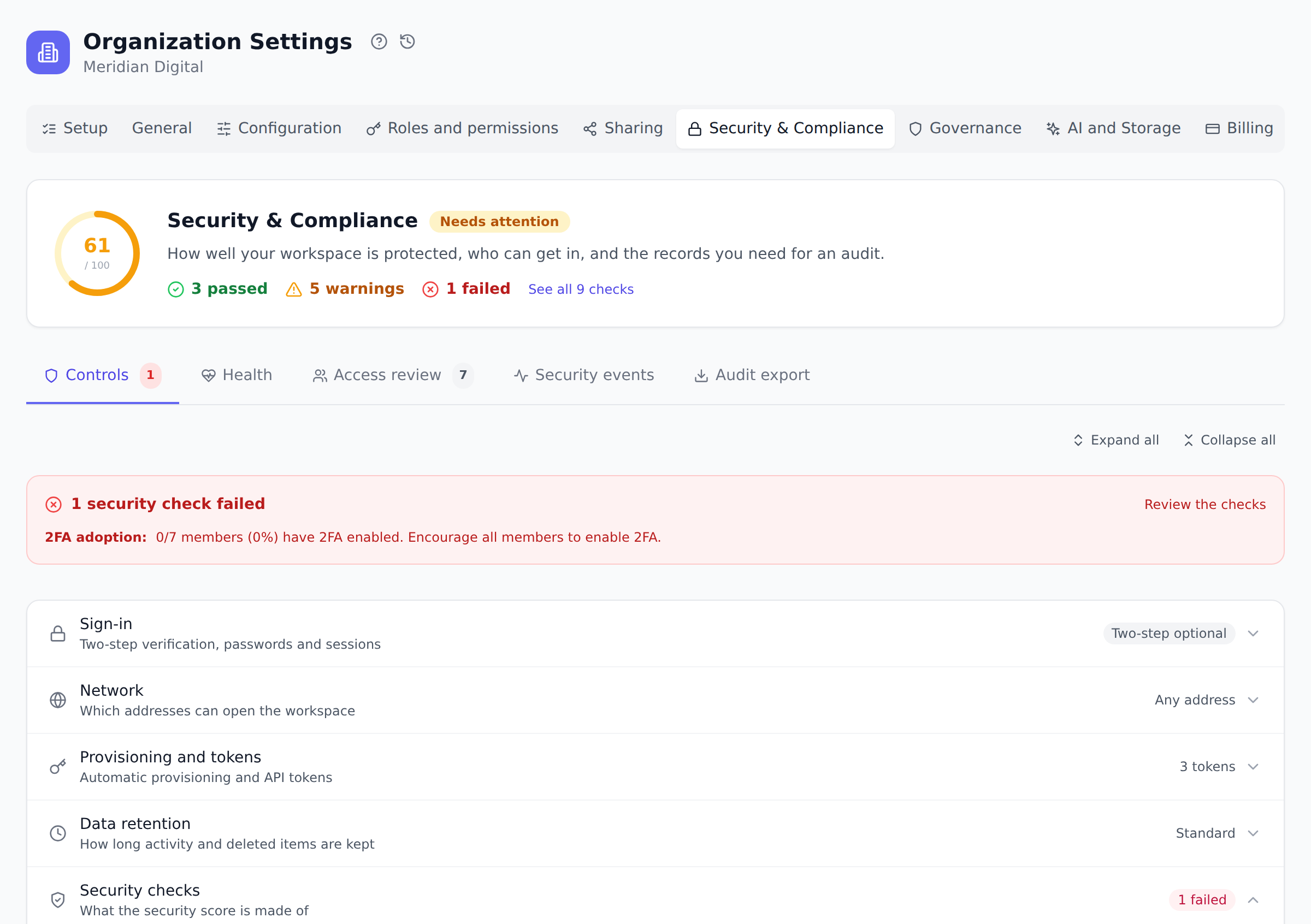
Where Onplana offers it, a long settings page opens as one card with a row for each section. A row shows an icon, the section’s name, one line on what it holds, and its current value on the right, such as Two-step optional, Any address or 1 failed. The whole page fits on about one screen, so you can see every section before you open one.
This is a display choice only. Nothing about a setting changes when its row is closed, and every setting keeps its own permissions.
Open a section
Section titled “Open a section”- Find the row by its name and value.
- Select the row (its name or the arrow at the right) to open it. Select it again to close it.
- To open or close every row on the page at once, use Expand all or Collapse all above the card.
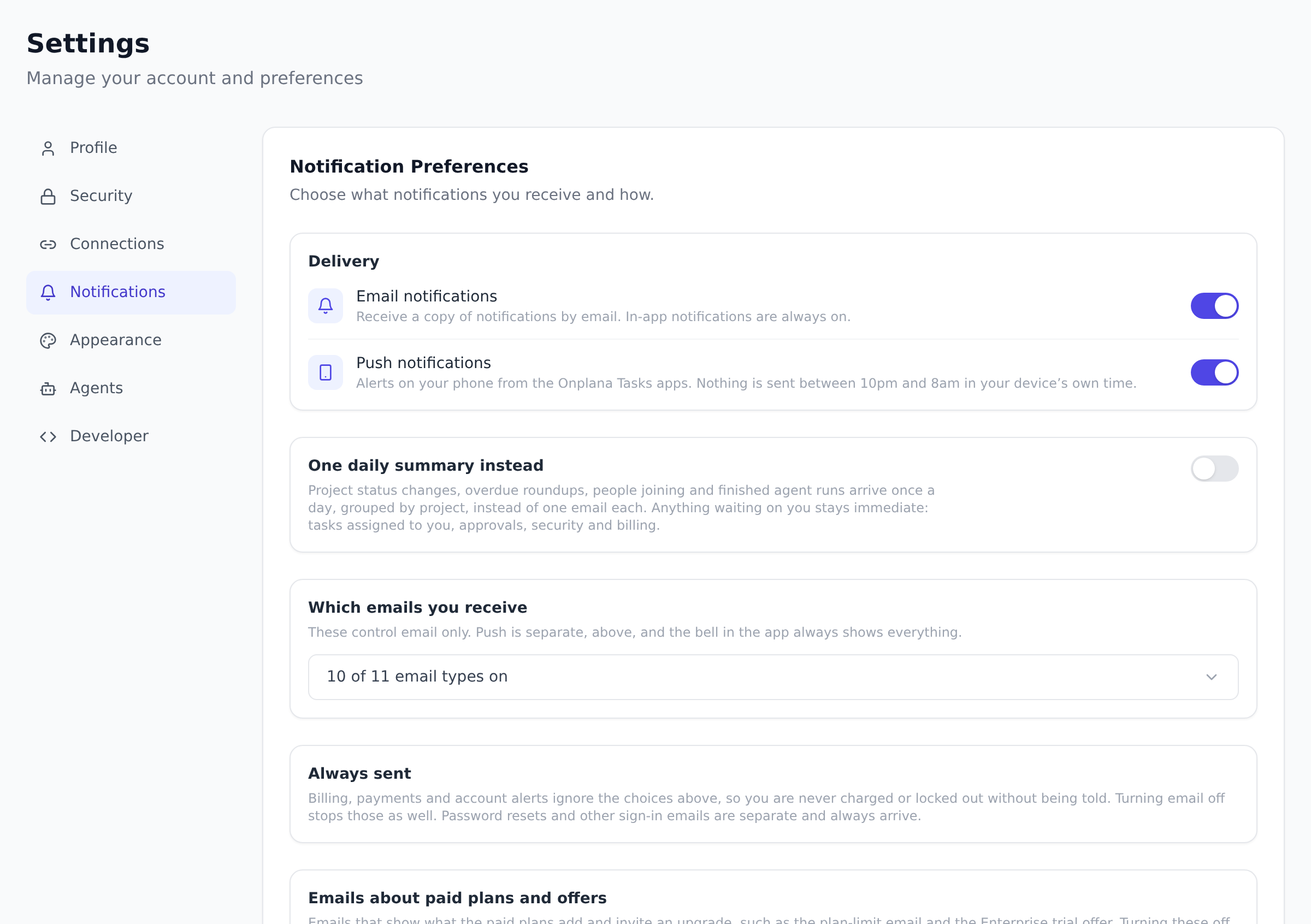
A long list inside one setting, such as the exchange rates on Currency or the email types on Notifications, folds the same way: a row with a count (for example 10 of 11 email types on) and the arrow at its right. Select it to show the list.
What stays open by itself
Section titled “What stays open by itself”- A section you linked to. A link that points at a setting, such as one from Help or the AI assistant, opens the section that holds it.
- A section that needs you. A failed security check, unsaved edits or a rule you are editing keep their section open until you finish.
- What you opened last time. Onplana remembers which sections you opened, for you, in this browser. Someone else signing in on the same computer starts with their own choice.
Which pages do this
Section titled “Which pages do this”| Where | What opens closed | What opens first |
|---|---|---|
| Organization Settings, Security & Compliance, Controls | Sign-in, Network, Provisioning and tokens, Data retention, Privacy, Security checks | Security checks, while a check fails |
| Organization Settings, Configuration, Custom Fields | The four field groups: your own custom fields first, then the project, proposal and task form fields, each with its current value (such as “7 of 9 shown”) | None |
| Organization Settings, Configuration, Timesheets | Compliance enforcement, Active escalations, Timesheet exceptions, Compliance evidence export | Timesheet approval |
| Organization Settings, Configuration, Currency | The exchange rate list | None |
| Organization Settings, Configuration, Completion readiness | The starter sets and the criteria list | None |
| Organization Settings, Roles and permissions | The Organization-Level Actions and Project-Level Permissions tables | Permission presets |
| Organization Settings, AI and Storage | AI features, Fair use, External AI agents, Storage | None |
| Settings, Connections | Calendar feed, Microsoft To Do sync, Email to task, Your Onplana apps | Your accounts |
| Settings, Notifications | The list of email types | None |
| Settings, Agents | The agent policies and recent policy decisions | None |
| Apps and integrations, Apps | Onplana Schedule, Microsoft 365, Google Workspace, the marketplace, AI assistants | Onplana Tasks |
A section that opens first stays closed once you close it.
Was this helpful?
Thanks for your feedback!